
Access Denied? Tools that help make the world more accessible.
In the world of Inclusive Post Secondary Education (IPSE), it is common for our students to need a variety of tools to make education, social events, independent living, and employment more accessible. Let’s face it, as much as the world tends to be trending towards more accessibility, the reality is that many things just aren’t. Lucky for us there are a plethora of tools at our fingertips—if you know about them! Today we will be looking at a selection of resources and accessibility tools to make life more accessible for those that need it. All tools are hyperlinked if you would like to explore them further! **Disclaimer: This post is not sponsored or affiliated with any of the mentioned tools or resources.
Who is it for: Anyone who needs help breaking down large or daunting tasks.
What is it: AI that helps create task analysis, helps analyze written tone, gives brief explanations of unknown topics, estimates time to complete a task, helps transform written tone.
Cost: Free online!
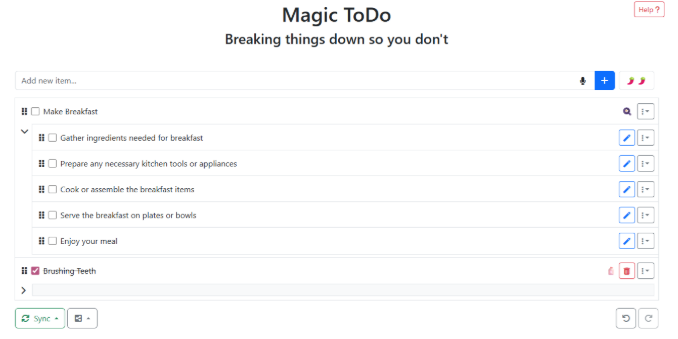
I enjoy using Goblin Tools to break down a large task—for example, if you go to “Magic ToDo” you can type in any task you need to complete, and Goblin Tools will create a step-by-step check list to complete the task. You can have it do simple break downs or more in-depth breakdowns, whichever is best for you.
Who is it for: Anyone who needs reasonable accommodations for their work environment.
What is it: Resource for all things accommodation in the workplace.
Cost: Free
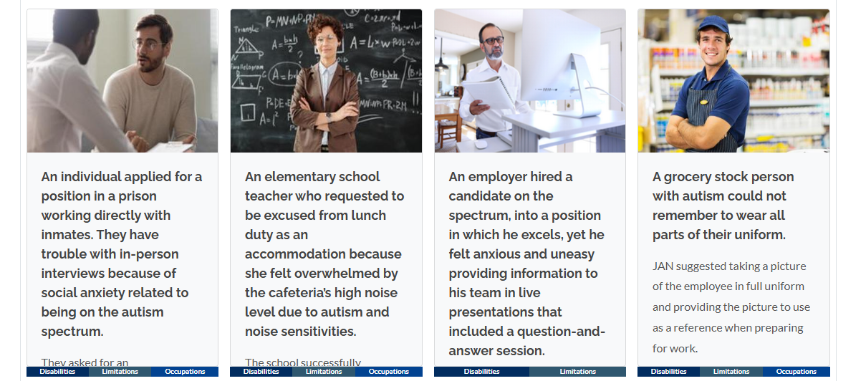
My favorite resource on JAN is the “Situations & Solutions Finder.” This section of their website allows you to search by disability, limitations, and/or occupations to find possible solutions to barriers at work.
Who is it for: Anyone who needs the assistance of Augmentative Alternative Communication (AAC)
What is it: AAC App with an option to use AI support to generate relevant responses on the spot.
Cost: Free
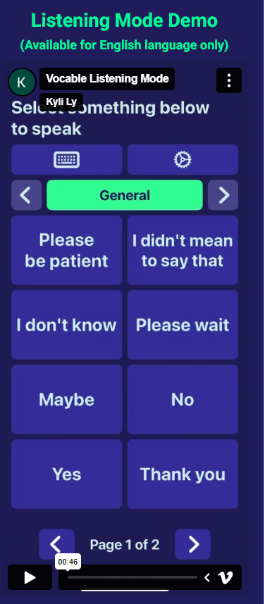
While I personally do not use AAC, this technology caught my eye for students that I work with who shut down when they are overwhelmed. Vocable has a feature that will listen to live conversations and generate relevant responses based on what is said. There is a learning curve, as with every AAC, but I personally feel this could be beneficial to those that need it!
Who is it for: Individuals who use screen readers and predictive text.
What is it: This all-in-one tool provides a screen reader, rewordify (simplified vocabulary), annotation tools, and predictive text (formerly co:writer).
Cost: $184 per year (individual), free for K-12 Educators, free version with limited features.
I used Read&Write frequently when teaching in K-12. They recently aquired Co:Writer and embeded it into the Read&Write tool bar. Co:Writer offers predictive text with topic libraries to support writing. It also has a rewordify feature that simplifies vocabulary. Finaly it also offers a picture and traditional dictionary.
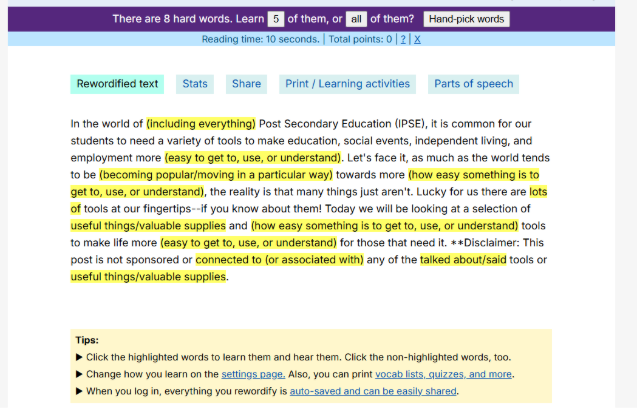
Who is it for: Anyone who needs simplified vocabulary and study supports.
What is it: Website that simplifies vocabulary and can generate learning activities for the higher level vocabulary.
Cost: Free!
Who is it for: Anyone who needs assistance reading on/off a screen.
What is it: App that allows you to take a picture and have the contents read to you.
Cost: Offers a free plan and a paid plan.
I personally have not used Speechify, however, one of my students uses it to access content all over campus and in their personal life. They simply take a picture of what they need read, wait a moment, and listen. It appears that Speechify is adding a new dictation feature soon that will also be available on the free plan.
Who is it for: IPSE and Supportive Care Programs
What is it: App and Software platform that allows programs to support students with diverse needs remotely.
Cost: Varies, quote required.
Equip is an independence and outcomes platform built for programs like Bobcat RISE. For staff, it’s one place to coordinate mentoring, track student goals, log services, and document progress toward employment and life skills – replacing scattered spreadsheets and paper records with a system designed for the frontline.
For students, Equip includes a mobile companion app that puts daily routines, personal goals, and check-ins right on their phone. Students can follow guided walkthroughs for daily tasks, track their own goal progress, and stay connected with their support team – building the habits and confidence that transfer beyond the program.
For families, that same visibility means peace of mind: your student isn’t just being supported, they’re building real, measurable skills toward a more independent life.
Who is it for: Educators, K-12 Educators/IEP Writers
What is it: Accommodation Central is a website that allows you to search by academic or functional need for core subjects and electives.
Cost: Free
Accommodation Central is a life saver for new educators or those who are not sure how to support or implement accommodations. This website allows you to select an accommodation and see an example of the accommodation. In addition to this, it provides steps to implement accommodation. If you are in Texas, it also specifies if it is allowed on state assessments.
Who is it for: Individuals with Dyslexia
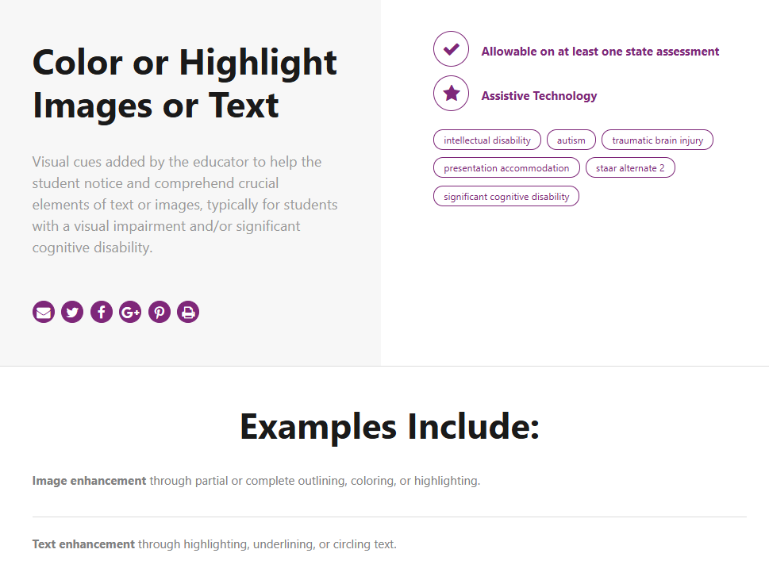
What is it: Changes website/computer font to a Dyslexia friendly font.
Cost: Free!
I have a few students that use OpenDyslexic to help make written content more accessible to them. You simply add the browser extension and toggle it off/on as you need it.

Who is it for: Individuals that have challenges with handwritten work/need predictive text.
What is it: App that allows you to take a picture and type on the picture. Allows for conversion to PDF or uploads to the cloud.
Cost: Free and Paid Version
I used SnapType frequently with students in K-12. This app allowed students to take a picture of a worksheet on their iPad (or phone) and type directly on to the assignment. It integrates well with Google Suite for ease of turning in assignments.